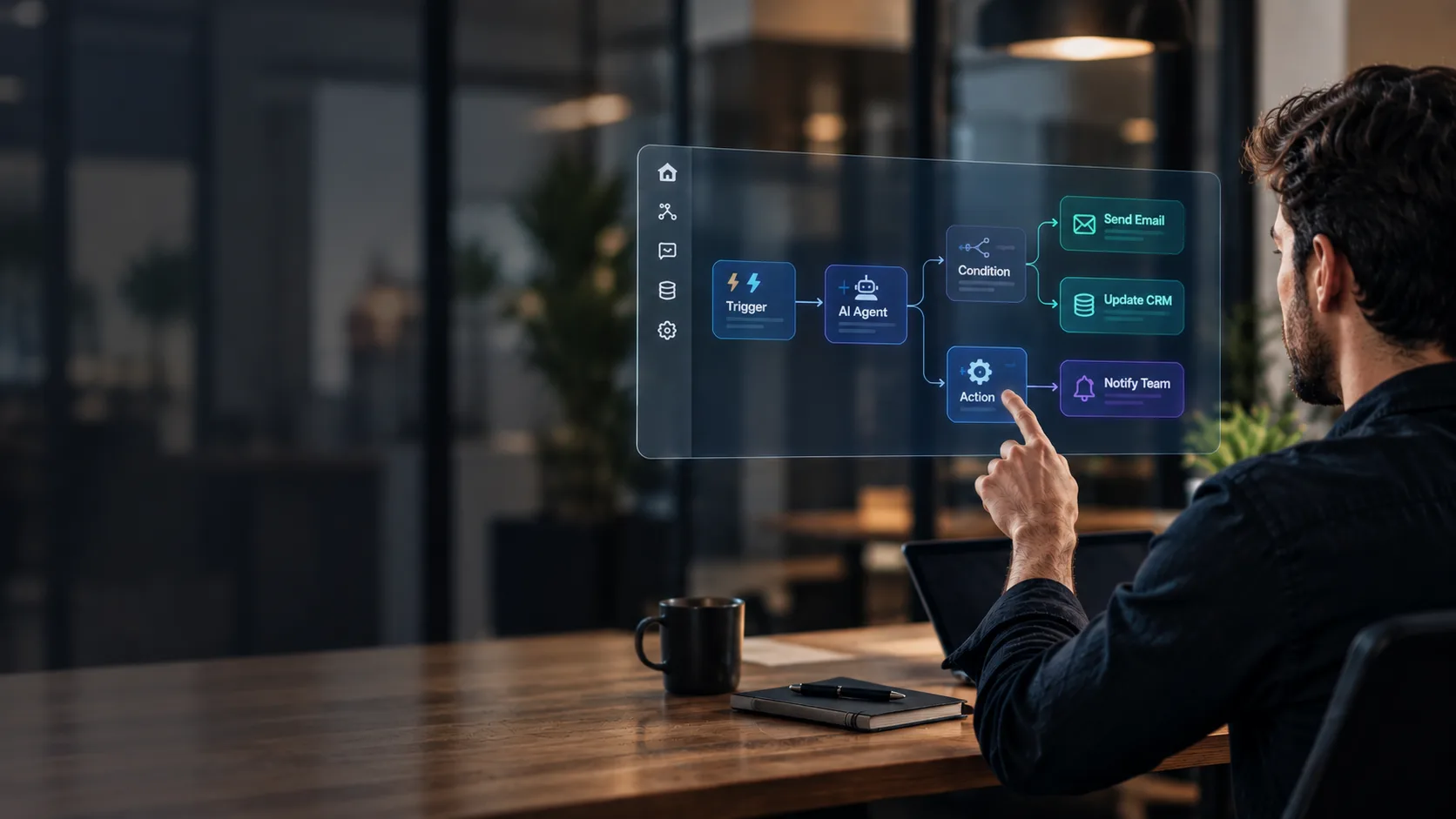
Orchestrate every call with visual flows
Design, launch, and tune workflows that coordinate voice agents, integrations, and business rules without leaving the RemarK Control Hub.
- Visualno-code flow design
- Livelive adjustments in production without stopping operations
- Synchandoffs with context to the human team
Everything a voice workflow needs
From the first IVR step to CRM action: one workspace to design, test, and operate.
- Visual flow design
Configure steps, branches, and handoffs with a clear view of operational logic.
- Production orchestration
Launch and adjust workflows with agents, integrations, and business rules in real time.
- Connected integrations
Trigger actions in RemarK, CRM, and external tools from every point in the flow.
- Versioning and control
Publish changes with traceability and roll back without losing operational context.
Every channel, and a person when it matters
Real ConvHi screenshots with sample data.
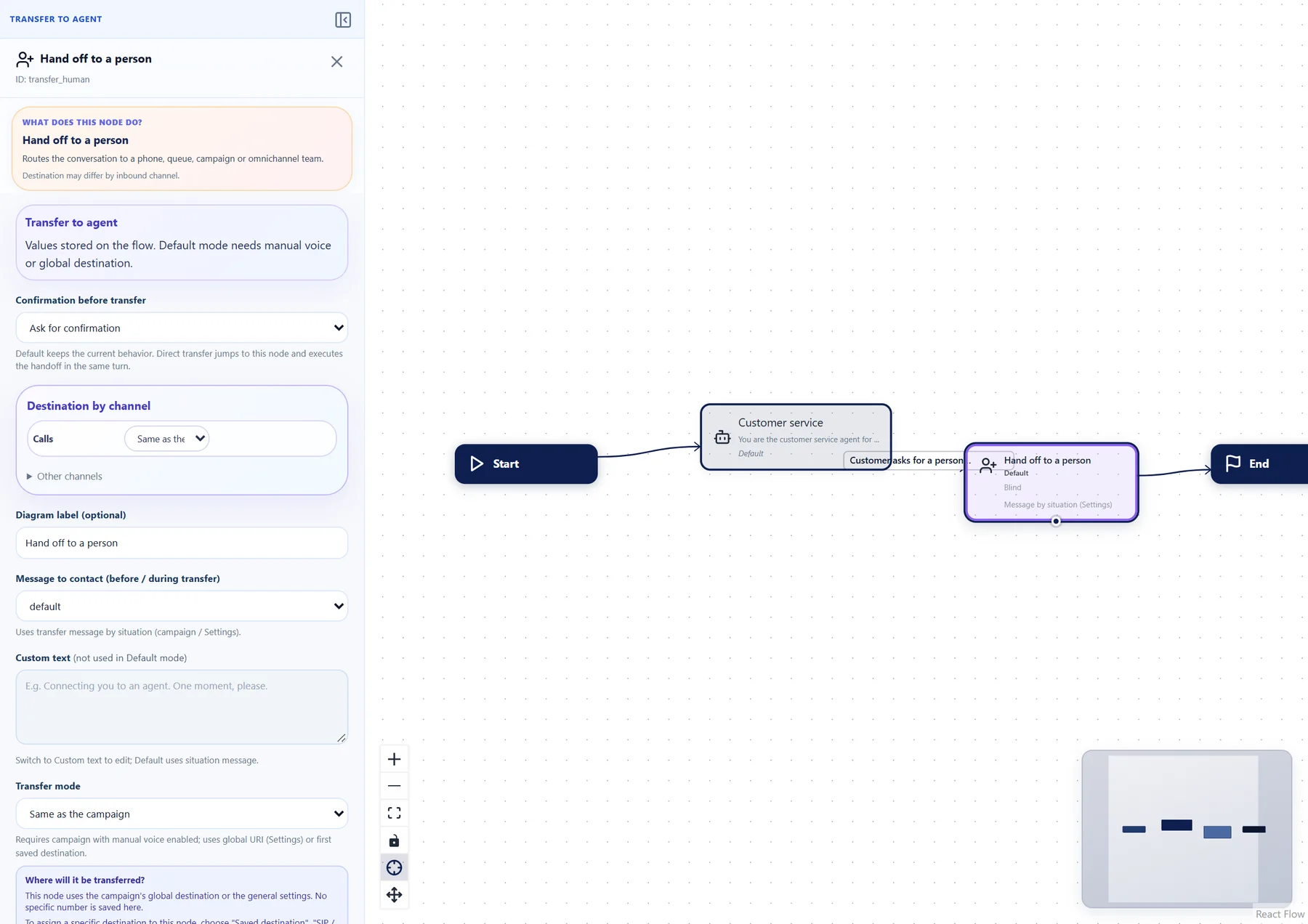
- Human handoff
The handoff lives inside the flow
A transfer node with clear wording: hand over to the team inside ConvHi, to a phone number or to another campaign. The person gets a case summary, by SMS too if you turn it on, and the customer never has to repeat themselves.
- WhatsApp
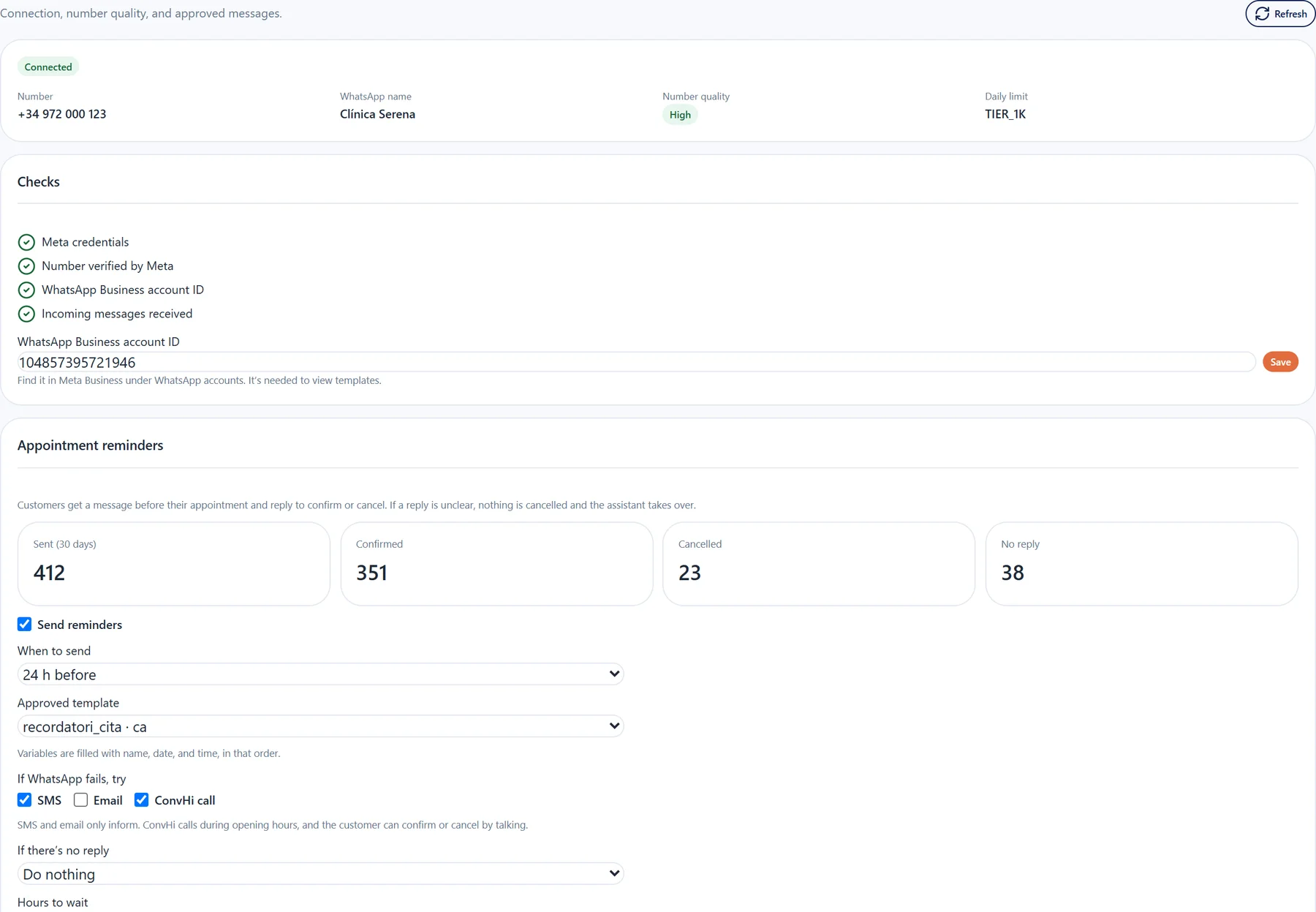
WhatsApp set up and checked
ConvHi checks the Meta credentials, the verified number, the WhatsApp Business account and incoming messages. You see the number’s quality and daily limit in the same panel.
- Templates
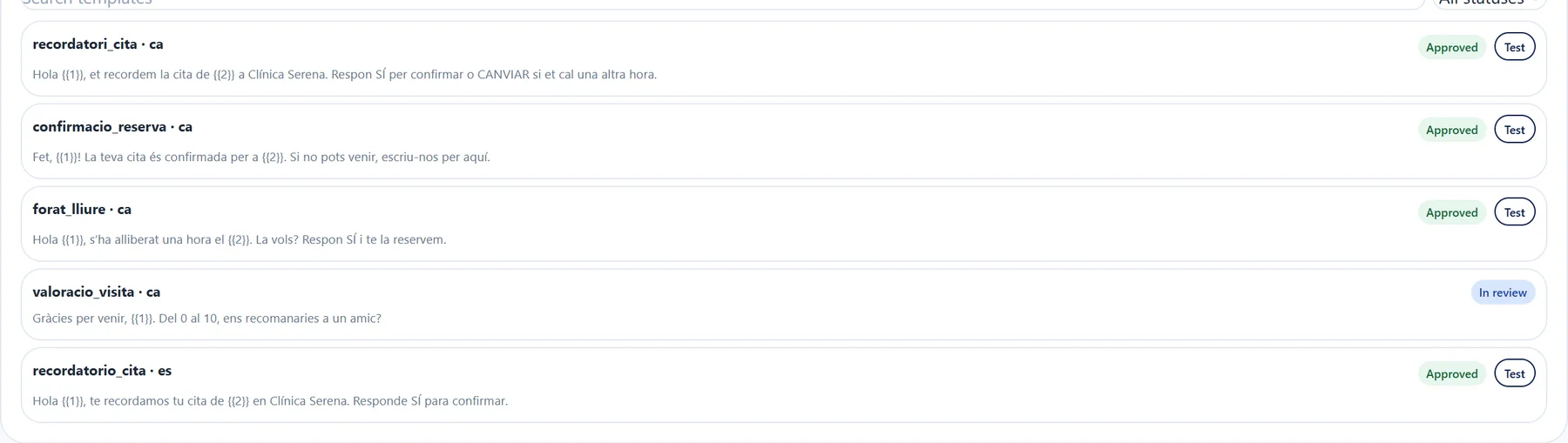
Approved templates, ready to use
See the status of every Meta template, search by language and test it before using it in reminders or campaigns.
- Email
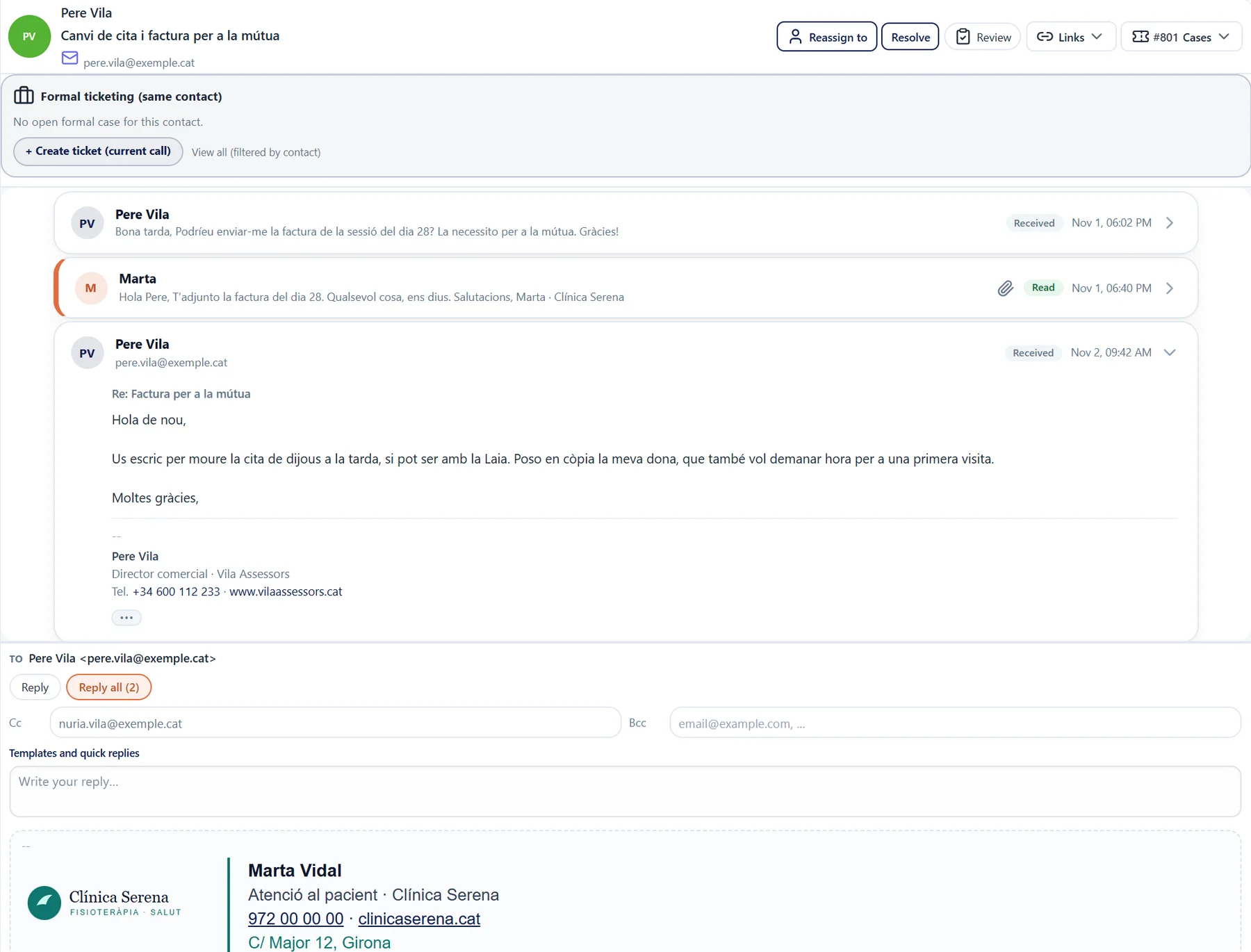
Emails that read like emails
The new reply on top, with quoted text and signature folded away. Reply with Cc, Bcc or reply all without leaving the inbox.
- Continuous improvement
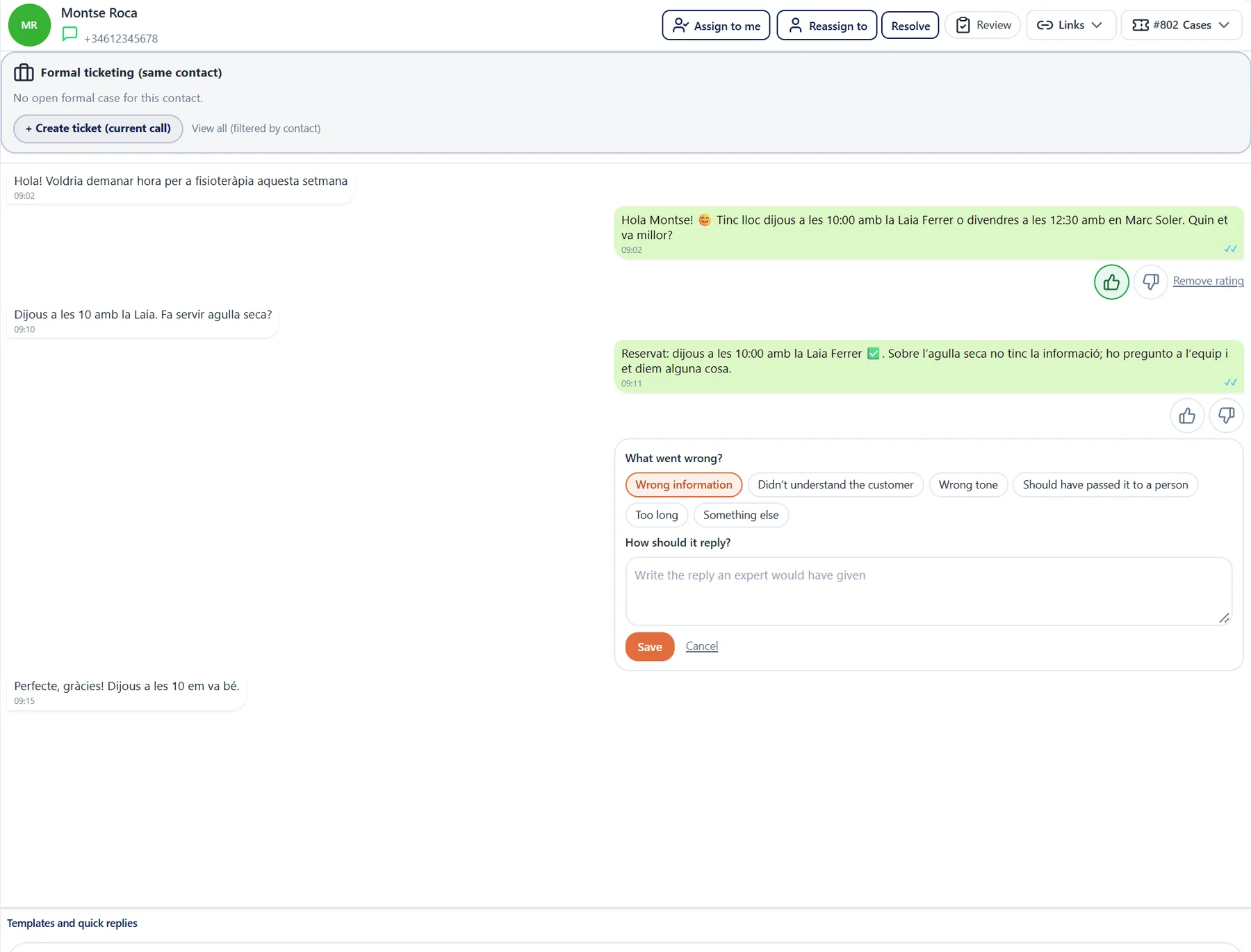
Your team teaches the assistant
Rate each assistant reply inside the conversation and explain what it should have said. What you flag can go into its knowledge.
- Campaigns
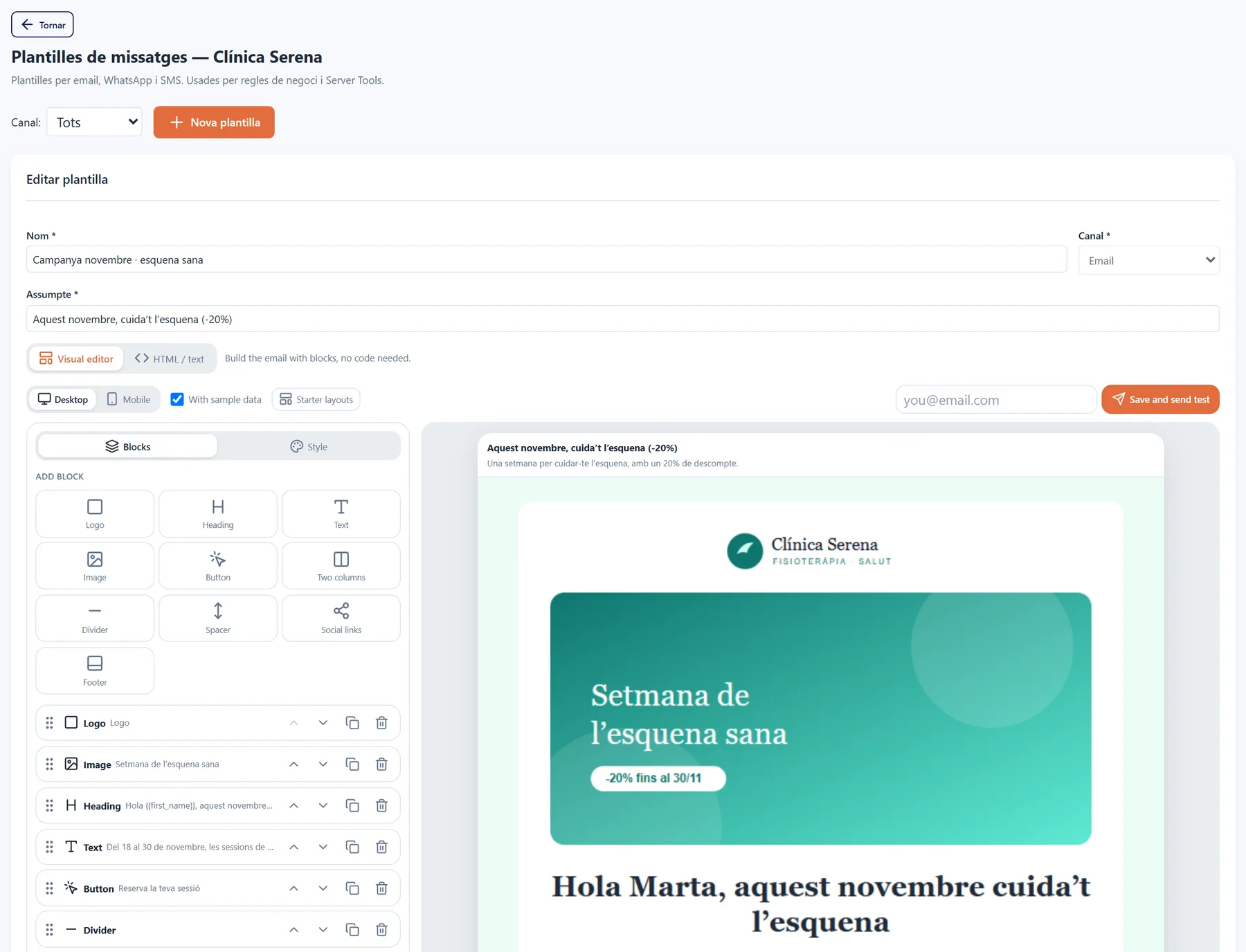
On-brand emails, no designer needed
Build campaigns and reminders from blocks: logo, image, text and button, in the business’s colours.
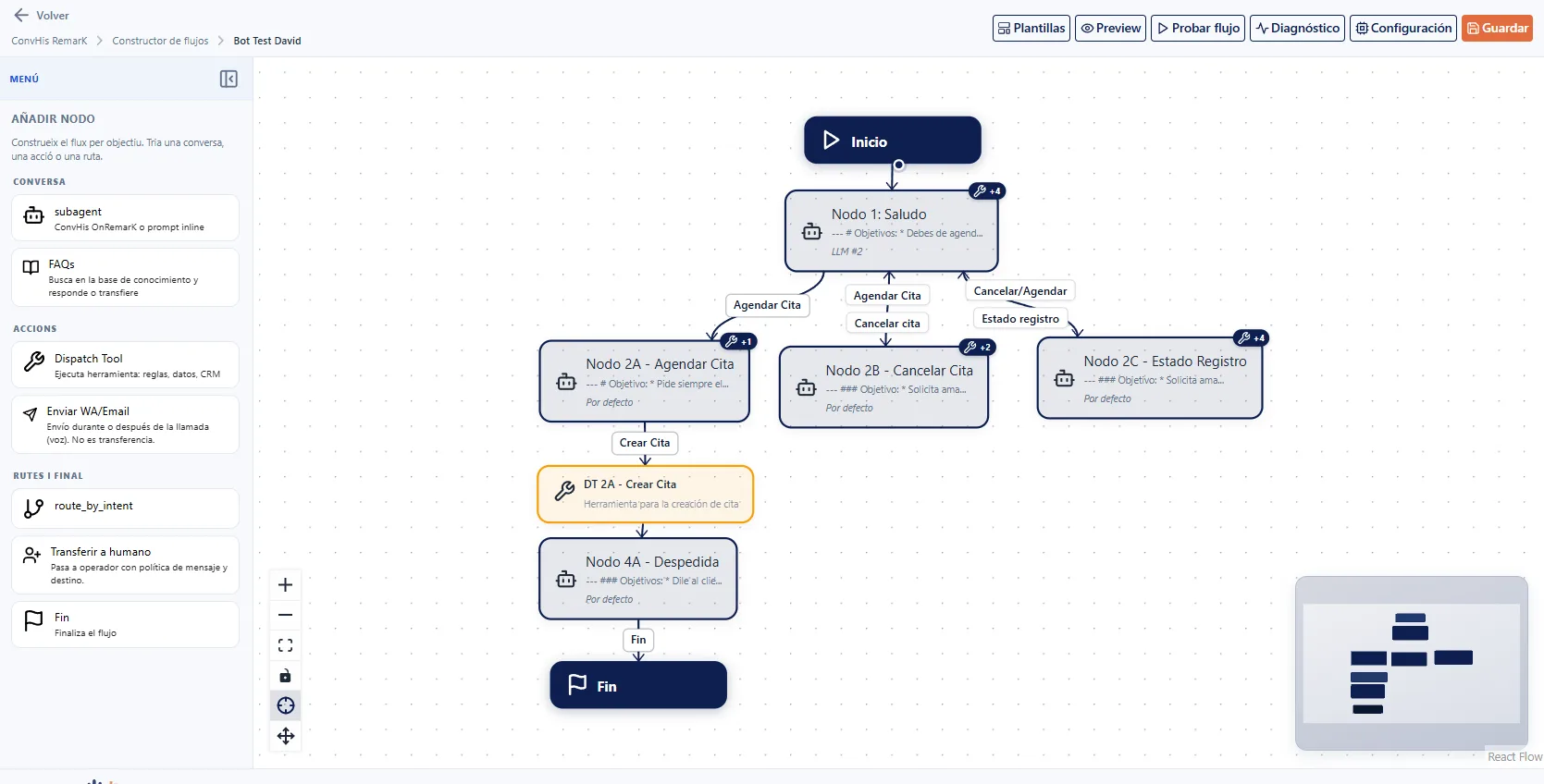
How a workflow runs in ConvHi
From design to live calls, without switching between tools.
- 01Design the flow
Define intents, branches, validations, and escalation points in the visual workspace.
- 02Test with context
Simulate real scenarios with data, voices, and rules before publishing.
- 03Operate and optimize
Monitor performance, adjust steps, and improve resolution without stopping operations.
Results your team notices right away
Less friction between design, operations, and continuous improvement.
- −40%deployment time
Teams publish flow changes without long development cycles.
- 1unified workspace
Voice, data, and actions share the same context in RemarK.
- 24/7continuous operations
Hot adjustments while calls stay active.
- 0code to launch
Design and publish flows from the visual builder without touching the backend.
Explore the rest of the product
Workflows, audit and customer experience share the same ConvHi operational workspace in RemarK.
- ConvHiBack to home
Main landing with demo, use cases, and the full product vision.
Go to home - Audit and traceabilityEvery interaction with
Every call, decision, and action is recorded with full context.
View area - NPS and customer experienceMeasure NPS and quality
Measure satisfaction and perceived quality on every conversation.
View area - Scheduling and bookingsNever lose an appointment
The business calendar at the centre: bookings, team, absences and reminders.
View area
Try it yourself.
We prepare a ConvHi demo with volume, language, script, integration, and human escalation criteria.
Tailored to your operation.
Book a ConvHi demo