
Never lose an appointment even when someone is off
ConvHi books into the business’s real calendar by phone, WhatsApp and web. It knows who is working and who is off sick or on holiday, and reschedules the affected appointments.
- 1calendar for the team, the CRM and ConvHi
- 3 hbefore the case goes to the team if the customer doesn’t confirm
- 4external calendars: Google, Microsoft, Cal.com and Calendly
A calendar that knows who’s in
Bookings are made in ConvHi and the team, the CRM and the assistant all see the same thing. When something changes, everyone sees it within seconds.
- Your own calendar at the centre
Phone, WhatsApp, chat and web all book into the same calendar. It also works with just opening hours and services, without named staff.
- Team, sick leave and holidays
If someone is off, ConvHi suggests another person who offers the same service or another day, and opens a case for each affected appointment.
- Reminders that see it through
If the customer doesn’t reply, ConvHi calls them. If there’s still no answer after 3 hours, it opens a case for the team. If they cancel, the slot goes to the waiting list.
- Hospitality pack
Shifts and covers, waiting list, Stripe deposits (without Stripe, the booking goes ahead without a deposit) and guest requests for the team.
This is how it looks in ConvHi
Real product screenshots with sample data.
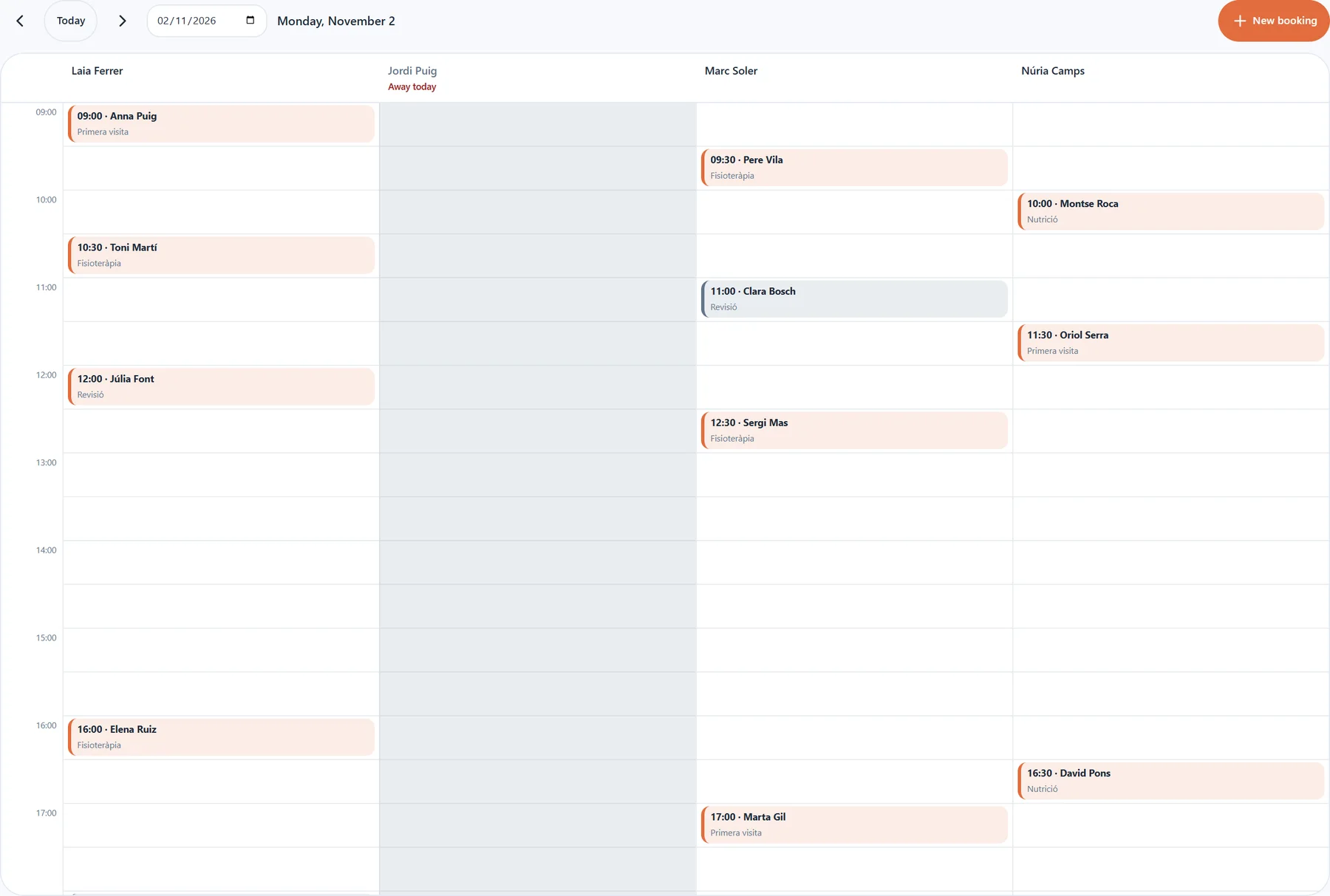
- Day view
One column per professional
Drag to move an appointment and click a free slot to create one. Anyone who is off is marked and gets no bookings.
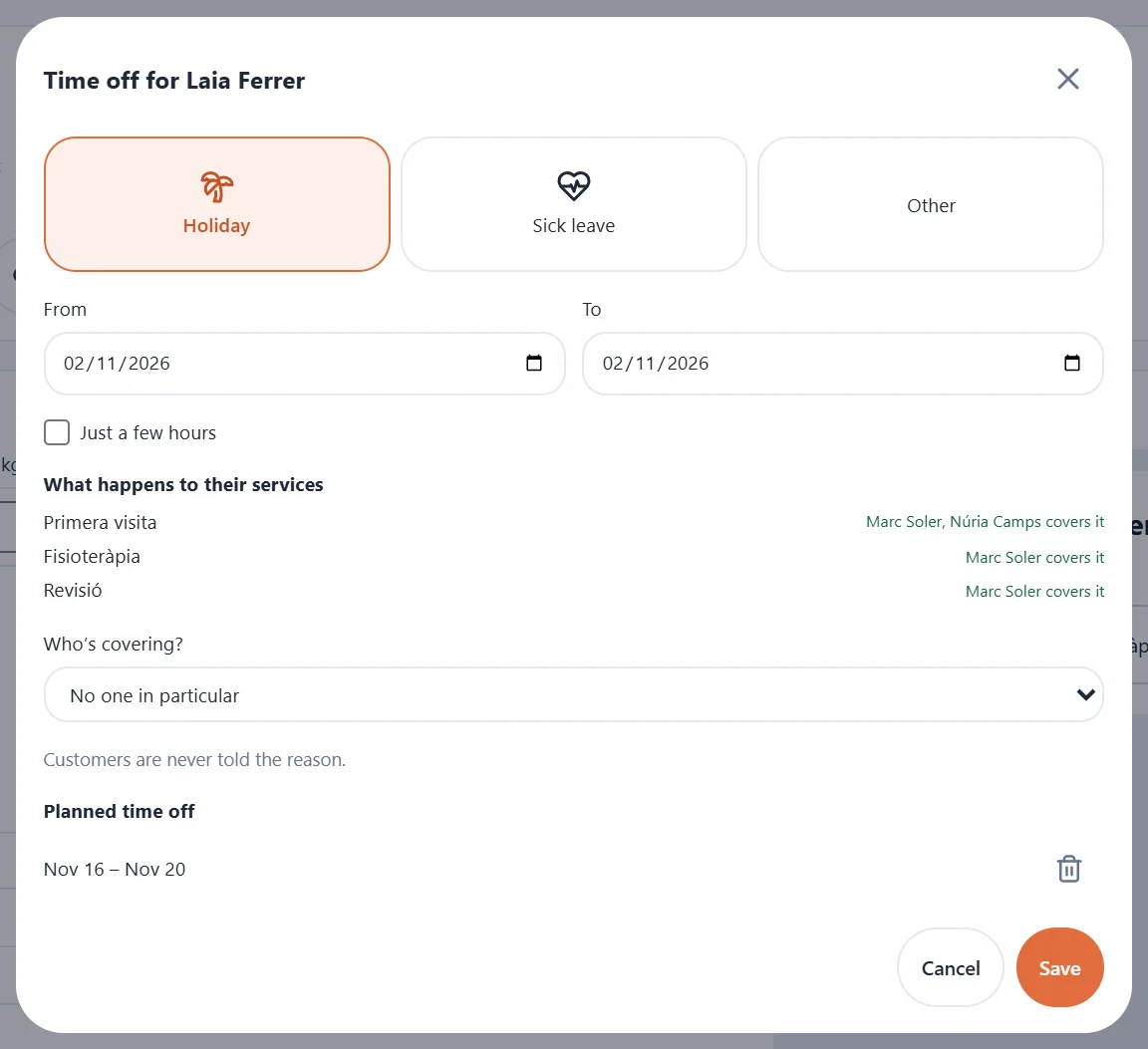
- Absences
Mark an absence and ConvHi does the rest
Holiday, sick leave or another reason, by days or hours. ConvHi tells you who can cover each service, and the reason is never shared with the customer.
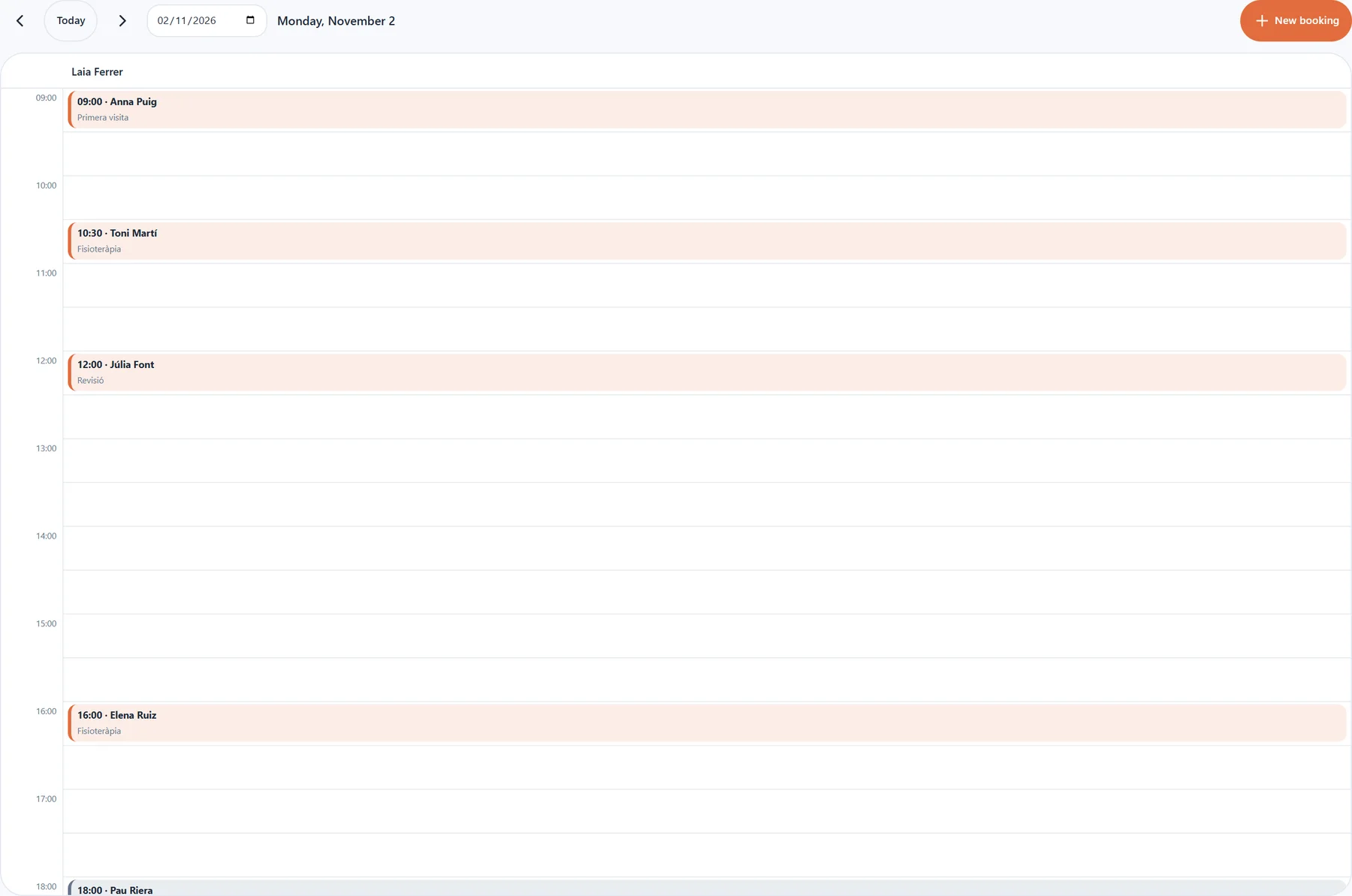
- My calendar
Everyone sees their own appointments
Each professional has their own view and gets an alert when one of their appointments is booked, moved or cancelled.
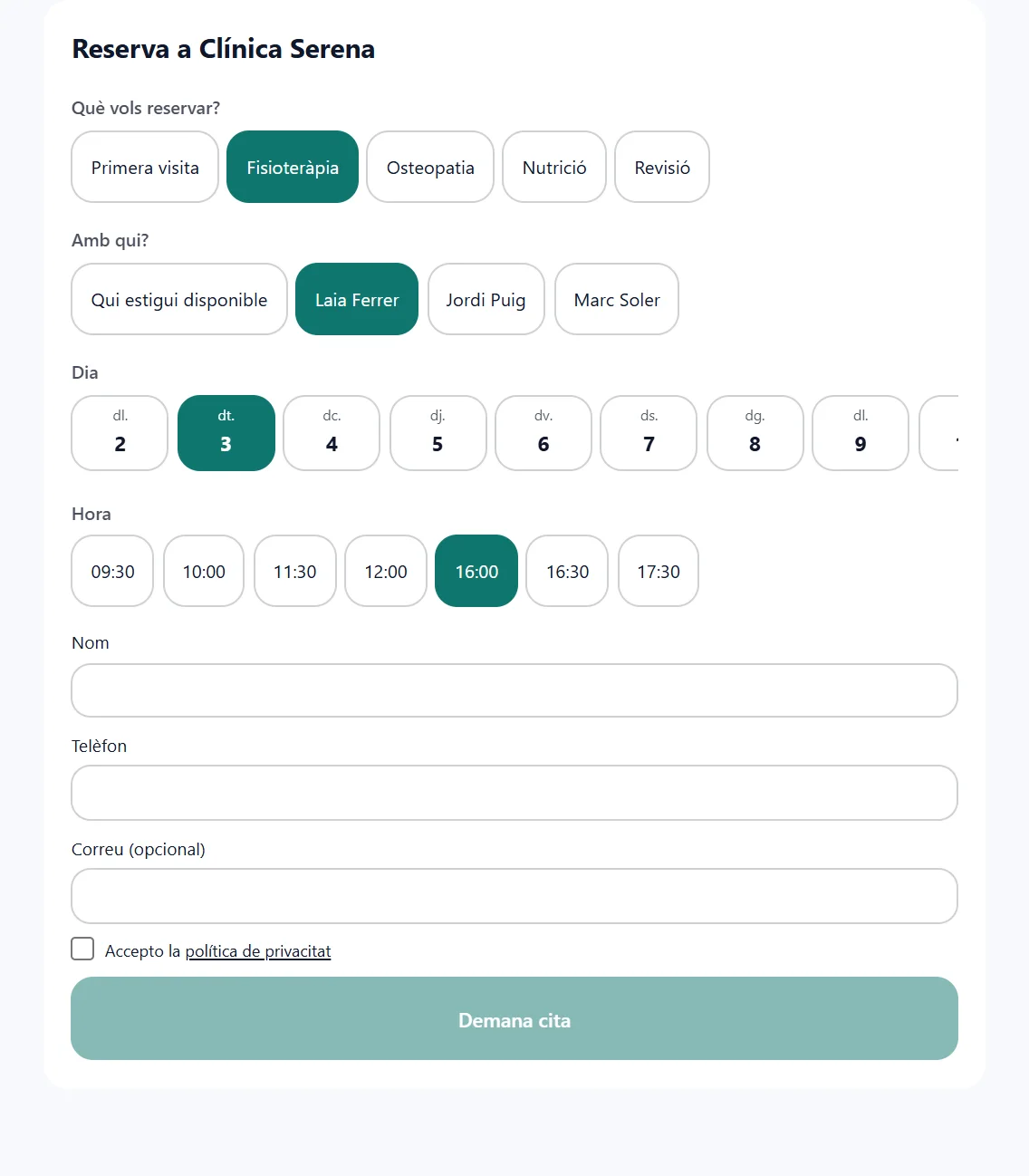
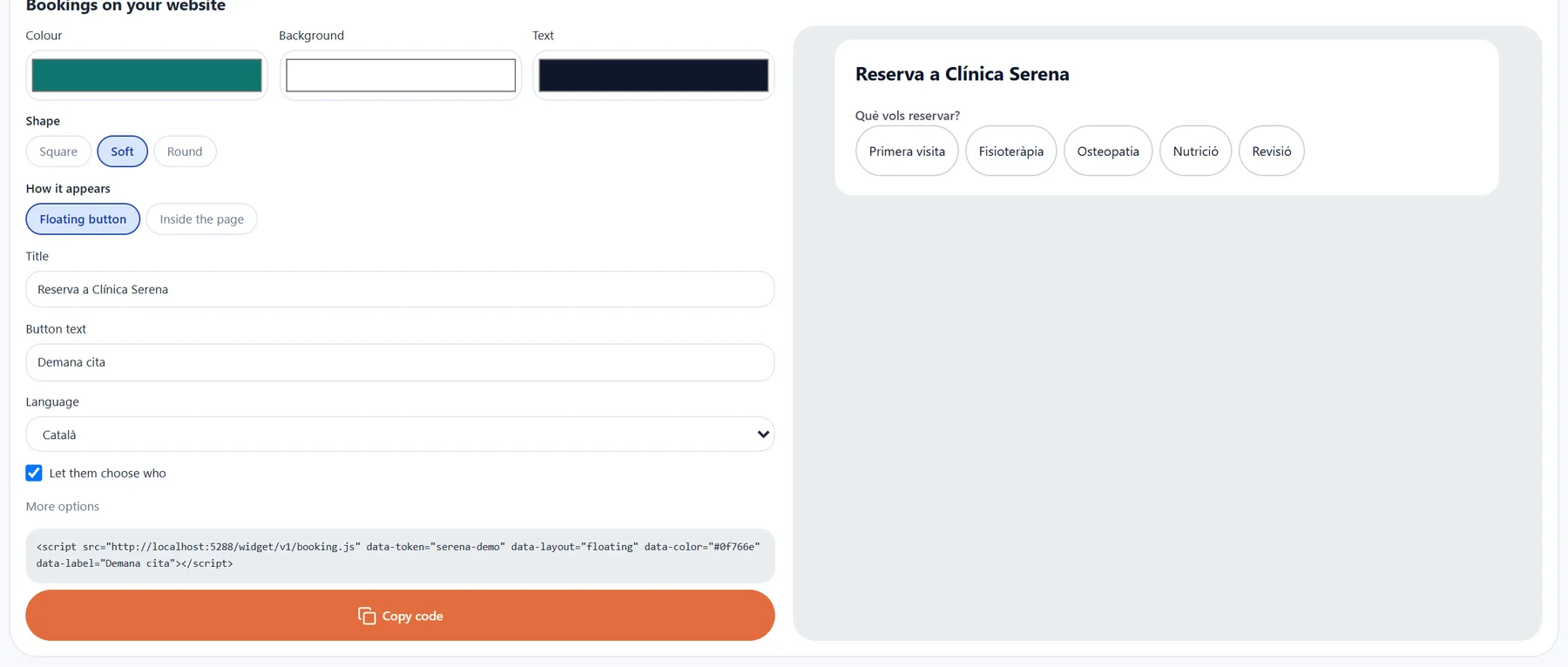
- Online booking
Customers book in a minute
Service, professional, day and time, with real availability. If someone is off, their hours aren’t offered.
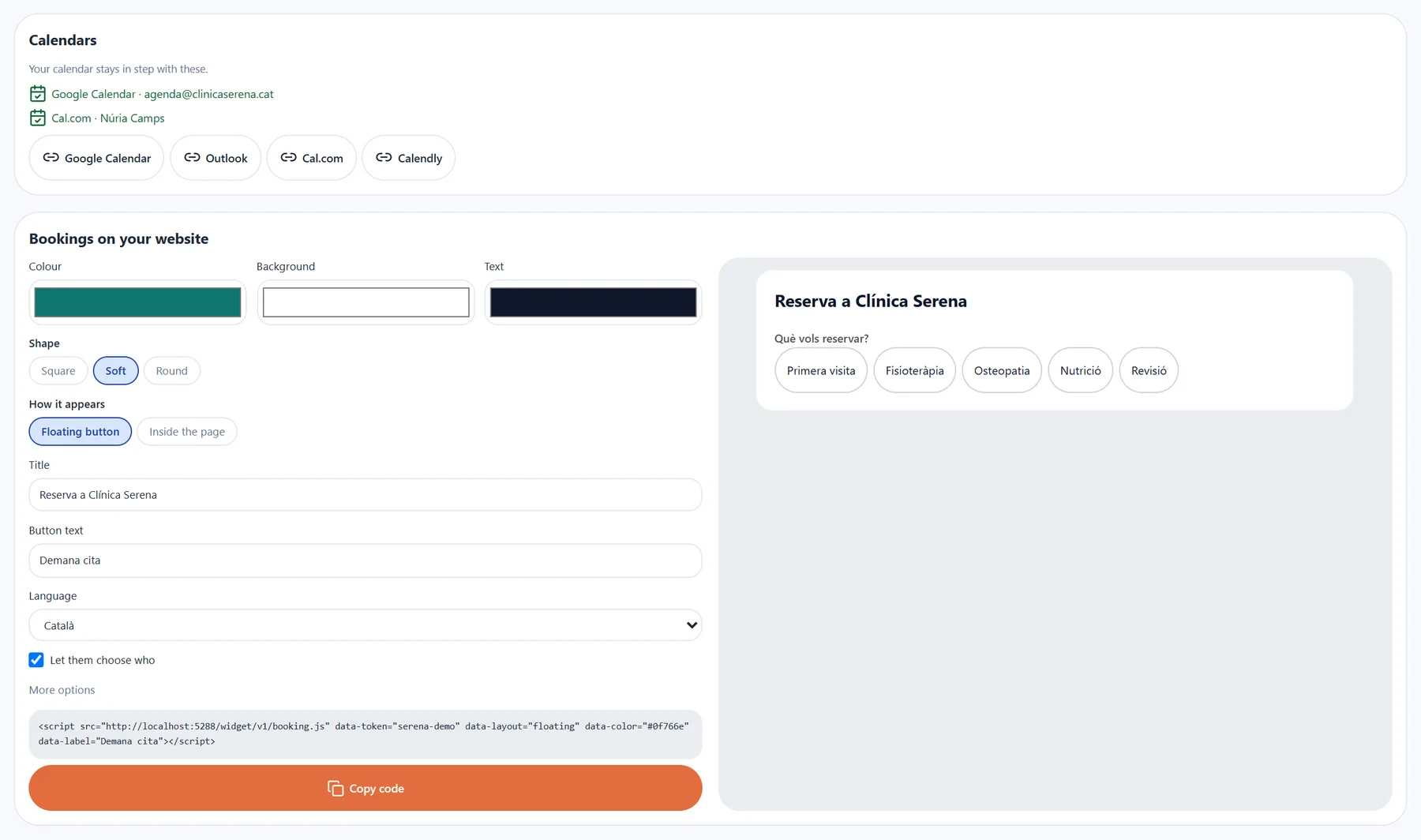
- Calendars
Connected to the calendars you already use
Google Calendar, Outlook and Cal.com per professional. Calendly is used to check availability.
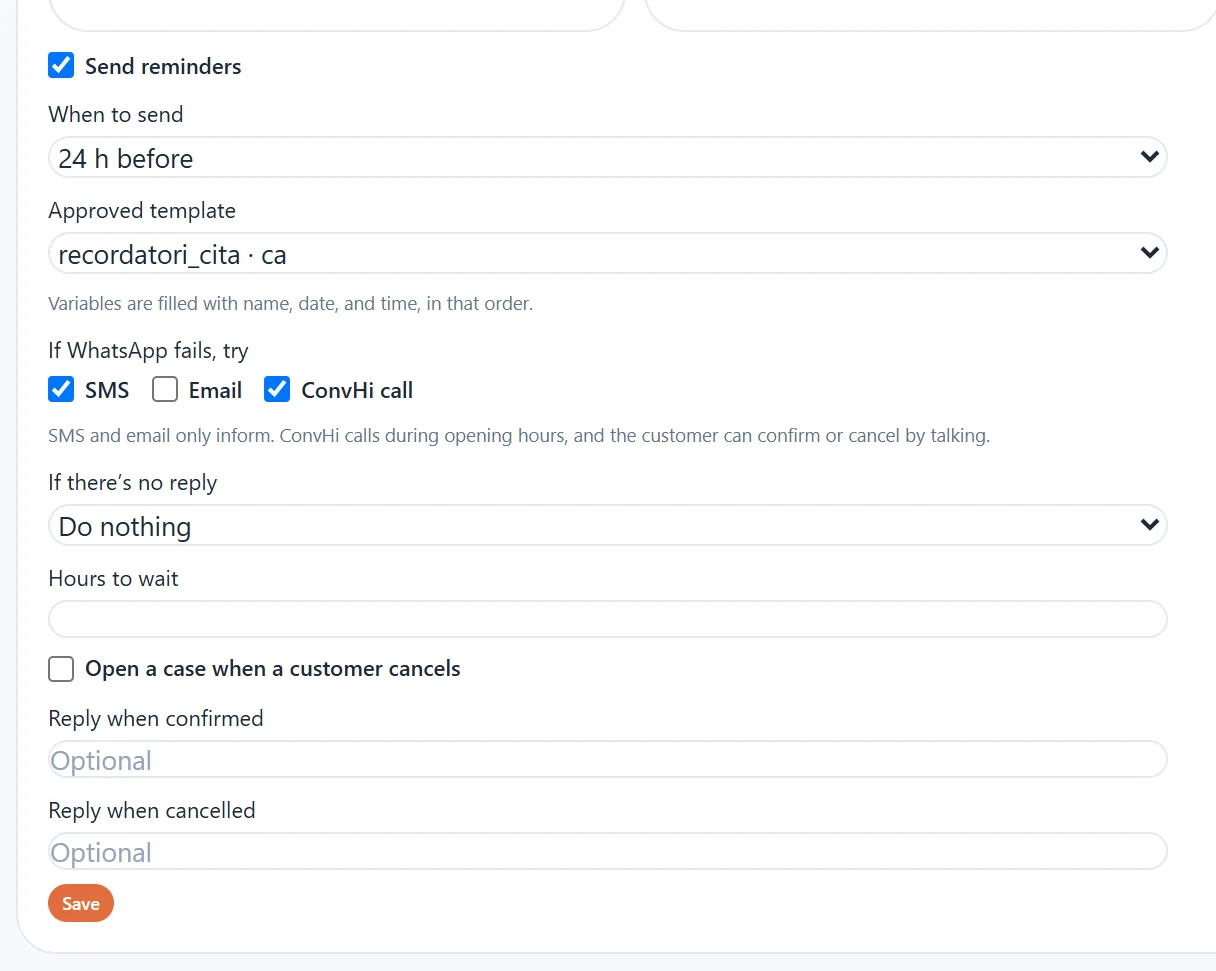
- Reminders
WhatsApp reminders with a plan B
Choose when they go out and which template they use. If WhatsApp fails, ConvHi tries SMS, email or a call where the customer confirms by speaking.
Up and running in three steps
From your opening hours to the first online booking.
- 01Services and hours
Set what you offer, how long it takes and when you’re open.
- 02Your team, if you have one
Add each professional with their services and hours, or book by capacity only.
- 03Widget and channels
Paste the widget into your site in your colours and let ConvHi book by phone and WhatsApp.
What changes day to day
Fewer empty slots and fewer calls to reschedule.
- 24/7bookings open
Customers book when it suits them, on the channel they prefer.
- 0appointments forgotten due to absence
Each affected appointment gets a case and a suggestion of who can take it.
- 1place for the whole team
Each professional sees “My calendar” and gets an alert for every new appointment.
Explore the rest of the product
Workflows, audit and customer experience share the same ConvHi operational workspace in RemarK.
- ConvHiBack to home
Main landing with demo, use cases, and the full product vision.
Go to home - WorkflowsOrchestrate every call with
Design, run, and optimize the flows that connect voice, data, and action.
View area - Audit and traceabilityEvery interaction with
Every call, decision, and action is recorded with full context.
View area - NPS and customer experienceMeasure NPS and quality
Measure satisfaction and perceived quality on every conversation.
View area
Try it yourself.
We prepare a ConvHi demo with volume, language, script, integration, and human escalation criteria.
Tailored to your operation.
Book a ConvHi demo